Component
A reusable element tree with a declared prop schema.
A Component is a reusable element tree you define once and place many times — an attachable subtree. Identity + fields (the prop schema) + testData for the canvas. The tree is loaded with the component when you outline or edit it.
It is not an element. An element on a page can be a component instance: kind: { _tag: "Component", value: "<componentId>" }. That node's props are the instance values (title, events, …). The definition lives here; the instance is a page (or parent component) node.
Fields
| Name | Type | Default | Description |
|---|---|---|---|
name | string | — | Catalog name. list_components matches search against name and description. |
description | string | — | Catalog summary. |
thumbnail | string | — | Catalog image. |
layer | shell | rail | panel | section | control | — | UI layer. |
category | string | — | Discovery group: layout, form, navigation, overlay, … |
fields | field list | — | Declared prop schema — what a call site may pass. Same field shape stores use. |
testData | object | — | Sample values for those fields while editing the definition. Preview with nothing bound falls back here. |
isPublished | boolean | — | When true, other apps may reference this component by id (no copy). Owner-only toggle. |
create_component starts with no elements. A page scaffolds a body root; a component does not — the root kind is yours. Seed it with add_root_element, then add_element for children. The root kind must be a registered Primitive (header, div, section, …), not a Component reference.
Optional fields on create are the prop schema — the same array set_props_schema would write. Do not follow create with set_props_schema just to re-declare them.
Inside the tree, {{props.title}} is this component's props. Entering the component replaces the outer frame — an inner {{props.X}} never reaches the page's props. Pass page or store data in at the instance (update_props on the Component-kind element), then bind_prop (or a {{props.*}} expression) onto inner nodes.
bind_prop writes {{props.<key>}} onto a target prop:
| Argument | Description |
|---|---|
elementId | Inner node to bind. |
propKey | Component field name (title, …). |
targetProp | Prop on that node (children, href, …). |
A store can attach to the component so state travels with it and the name state stays free.
How it relates
- App — components are listed and created in the active app (
contextId). - Page — place the component as an element. Set instance values with
update_props(orinstancePropsonadd_elements). - Element — the definition is an element tree (
container: { _tag: "Component", id }). Same Primitive vs Component kind, props, styles, repeat. - Page vs component as containers — both own an element tree. You usually declare
fieldson the component; pages also have authorfields, plus{{page.id}}/{{page.appId}}/{{page.params.*}}/{{page.search.*}}.
MCP tools
| Tool | What you use it for |
|---|---|
list_components | Optional search — id, name, description, layer, category, isPublished. Search immediately before create so you do not duplicate. |
load_component_outline | Same indented outline as load_page_outline, plus fields and testData. |
find_element_in_component | Search by aria-label, text, or kind inside this tree. |
create_component | { name, description?, layer, category, fields? }. Empty tree. |
update_component | Metadata + isPublished. Not schema, not test data, not the tree. |
delete_component | Deletes the definition and the elements it owns. Page instances that reference it are not removed — remove_element those. |
set_props_schema | Replaces the whole fields array. Remember the keys for bind_prop / set_test_data. |
set_test_data | Sample values keyed by those prop names. |
bind_prop | Wire {{props.<key>}} onto an inner element's prop. |
Tree mutations use the element tools with container: { _tag: "Component", id: componentId }.
Build sequence:
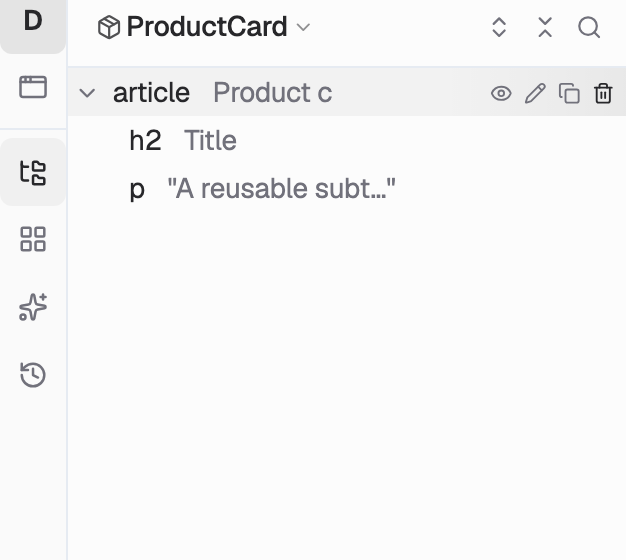
list_componentswithsearchfor the name — skip create if it exists.create_componentwithname,layer,category, and optionalfields.add_root_elementwith a Primitive kind (article,div, …).add_elementfor children.bind_propeach field onto an inner prop.set_test_datawith sample values.
On a page: add_element with kind { _tag: "Component", value: componentId }, then update_props to set instance values (title, …).
Gotchas
- Empty until you seed a root.
add_elementneeds an existing parent and errors on an empty tree.add_root_elementis the first call; pages never need it. set_props_schemais wholesale.list_components/load_component_outlinefirst, then send the fullfieldsarray. Same pattern asupdate_store.- Search, then create.
list_componentssearch is a substring on name and description. A listing from earlier in the session is how duplicates get made. - Props do not leak inward. Bind
signedIn: "{{session.signedIn}}"(or a store field) on the instance, thenrenderIf: "{{props.signedIn}}"inside. instancePropsonly on Component kinds inadd_elements. Primitive nodes useprops. Both fold into the same record the renderer reads.- Same tree rules as pages. Purpose
aria-label, omittargetPositionto append,inspect_element_typebefore composite primitives. See Element.