Introduction
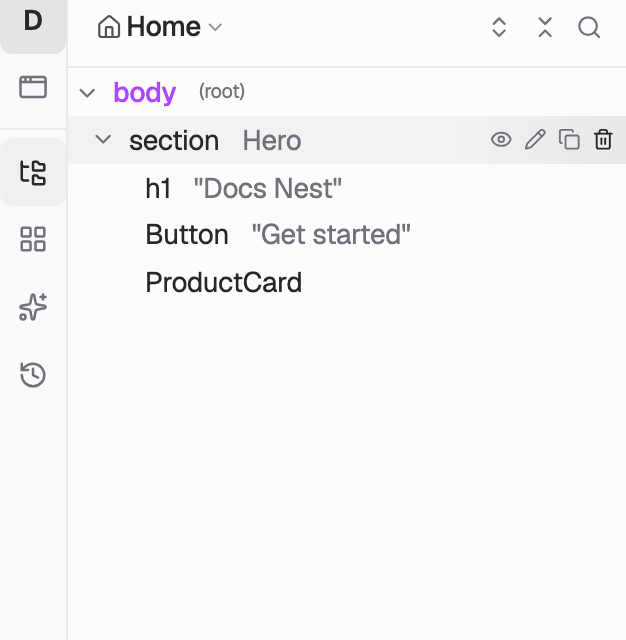
A page is a DOM tree rooted at body. Elements are nodes, props are attributes, and a component is a subtree you attach.
The DOM is a graph — specifically a tree. HTML is that tree: one root, nested children.
A Codelab page is the same idea. Its tree is rooted at body.
Nodes become elements. Attributes become props.
Abstract a DOM node as an element. Abstract a DOM attribute as a prop.
What you build is not a pile of widgets. You map data structures onto the DOM: a tree of elements whose props hold values.
A prop is a literal ("Hello") or a binding:
{{stores.user.name}}— a field from a store{{props.title}}— a value passed into a component
Stores, hooks, and actions are how data and events flow into those props. They are not a second page.
The canvas at app.codelab.app and an AI client on MCP (Claude, Cursor, Grok, Codex) edit this same tree.
Repeat
Repeat maps an array onto copies of a subtree. You author one node; render expands a copy per item. Inside that subtree the current item is {{repeat.item}}, plus {{repeat.index}} and {{repeat.key}}.
renderIf
renderIf maps a boolean onto whether a subtree exists. Falsy — the node and everything under it are omitted.
Components are subtrees
Define a tree once. Attach that subtree to a node to expand it.
A page node whose kind is a component is a hole that expands into another tree. The instance's props are how data enters that subtree. Inner {{props.*}} never sees the page — you pass values in at the attachment point.
How it nests
The inner h2 reads {{props.title}}. It does not see the page. Data flows into props, not around the tree:
- stores, hooks, actions → props on nodes
- repeat → copies of a subtree
renderIf→ whether a subtree exists
Start here
- In the builder: agent chat. Grok has two transports — API vs subscription.
- From an IDE: connect the hosted MCP.
- The model: App, Page, Element, Component.
- Behavior: Action, Function, types.
- Kinds and props: Registry, Props.