Agent chat
The builder AI rail. Same persisted tree as MCP — pick a model, describe what to build, and the canvas updates from the tree the tools write.
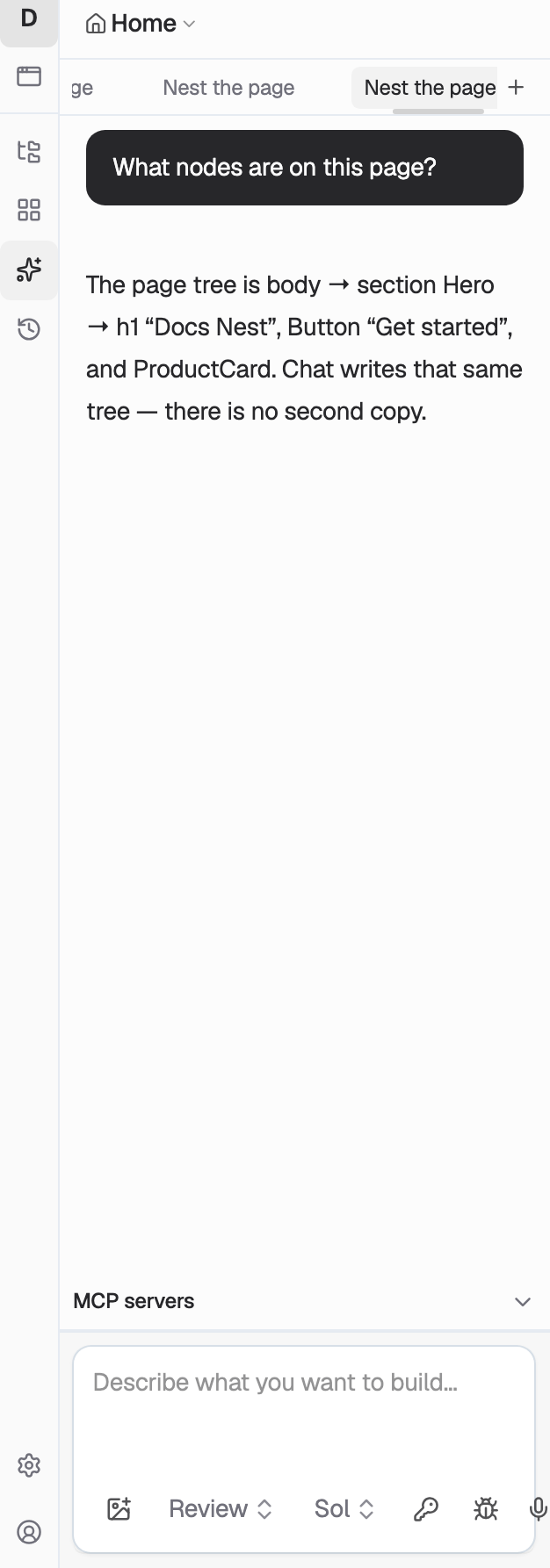
The AI rail on the left of app.codelab.app is agent chat. You talk to a model; the model calls the same tools MCP clients use (add_element, create_store, update_props, …); the canvas re-renders from that tree.
There is no separate “AI copy” of the app. Chat and MCP are two clients of one tree. See App, Page, Element, and Component.
Where it lives
Open an app in the builder. The left sidebar is the chat:
- Tabs along the top are chats for this app. Create, rename, reorder, or close them.
- The composer at the bottom is where you type. Attach images if the model should see them.
- Model picks which network the next send uses. The default is GPT-5.6 Sol. Grok has two rows — API vs subscription.
- Review / Agent is approval. Review pauses on tool batches so you accept or reject. Agent runs tools without pausing (navigate still asks).
The empty state suggests a first prompt (Create a hero section…). When Grok 4.6 Subscription is selected, that same empty state (and Account → Grok subscription) is how you connect SuperGrok.
A second composer on the props panel shares the same chat thread, not live UI state with the rail.
What a send does
- The builder sends the prompt to the selected model (or, for Grok subscription, to the local proxy on this Mac).
- The model streams a reply and tool calls.
- Those tools run against the current app. The tree is the source of truth — inspect with
find_element/inspect_element/inspect_dom, then add or update. - History is stored on the chat.
API models (including unlabeled Grok 4.6) bill Codelab credits. Running out of credits opens top-up. Subscription chat does not; it uses your SuperGrok quota on this Mac.
Chat vs MCP
| Surface | Where you type | Who authenticates | Who pays |
|---|---|---|---|
| Agent chat | Builder AI rail | Your Codelab account (Clerk) | Credits, or SuperGrok |
| MCP | Claude, Cursor, Grok Build, Codex, … | Clerk OAuth on https://mcp.codelab.app/mcp | The MCP client’s own plan |
Use MCP when the agent should live in an external IDE. Use agent chat when you want the canvas and the model in one window.